


One of the most interesting features introduced in Electrum 4.7 is support for Reverse Submarine Swaps. According to the official release notes, users can now send Bitcoin directly from their Lightning balance to regular on-chain wallets.
Since this functionality was not available in Electrum 4.5, I decided to test it in practice and see how well it actually works.
If you are not familiar with submarine swaps, which allow Bitcoin to move between Lightning and the Bitcoin main chain, you may want to read our dedicated guide first. It explains both the concept itself and how to set up a Lightning channel in Electrum.
I will also revisit the AML aspect of submarine swaps. My previous experiment, conducted almost two years ago, produced some surprising results. Let’s see whether anything has changed since then.
Opening Lightning Channel
If this is your first time using Lightning Network in Electrum, you’ll need to open a Lightning channel before reverse swaps become available. There are a few requirements:
- minimum balance is 0.002 to open a channel
- A Native SegWit wallet (bc1 addresses)
- Use the “Suggest Peer” option and let Electrum automatically choose a suitable node
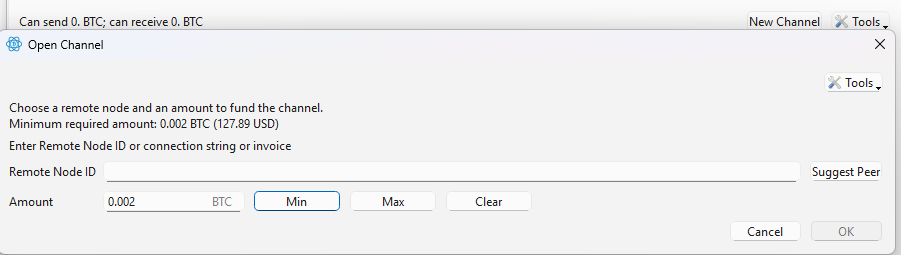
Straight away, I was greeted by the error below. This means the selected peer requires a significantly larger minimum channel size than Electrum itself suggests.
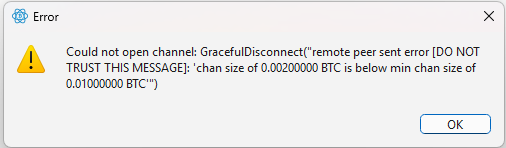
After trying several different peers, I was eventually able to open a channel successfully. This suggests that the practical minimum channel size depends not only on Electrum’s requirements but also on the policies configured by individual Lightning node operators.

Once the channel status changes to OPEN, I should have been able to make transactions both on the Lightning network and on-chain. In practice, there is a short delay between the channel reaching OPEN status and reverse submarine swaps becoming available.
Sending from Lightning to On-Chain via Reverse Submarine Swap
Reverse swaps are integrated directly into Electrum’s Send tab. Simply enter an on-chain Bitcoin address and specify the amount you want to transfer.
At the moment, the Max button only considers your on-chain balance and does not automatically calculate available Lightning liquidity.
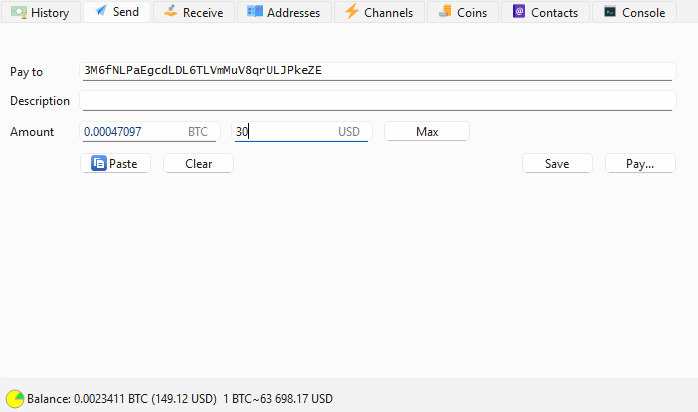
Here you will see the difference compared to Electrum versions prior to 4.7. There will be two tabs in the Payment window: Onchain Transaction and Submarine Payment.
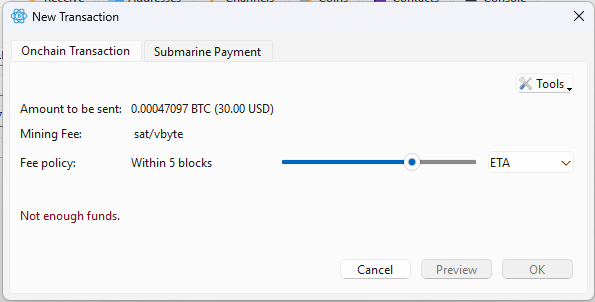
Select Submarine Payment and the summary of your transaction will be shown including fees.
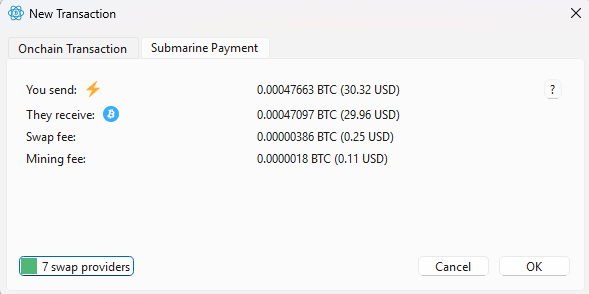
You can also switch between liquidity providers if the fees are too high with the default provider. I’m fine with the fees to test it out and I press “OK”.
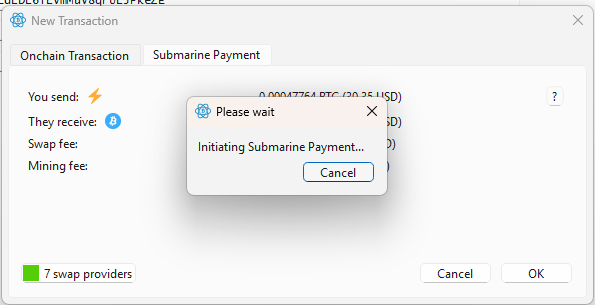
I stared at this window for about five minutes, only to receive the following error:
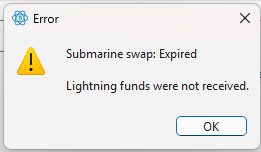
Another attempt with another provider and bigger amount – another error.
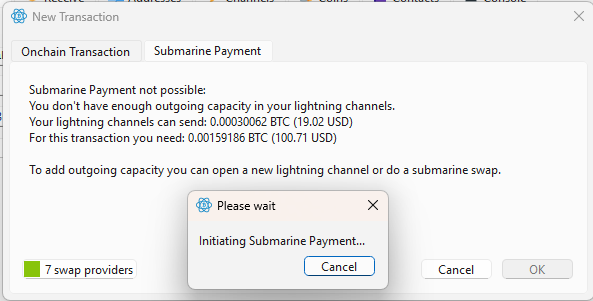
Error states that I do not have enough outgoing capacity although I do have which is clearly shown on the screen below.

After several failed attempts, I discovered that reverse swaps would only complete successfully after enabling Trampoline Routing. The issue was particularly confusing because Electrum reported insufficient outgoing capacity despite the channel clearly having enough available liquidity. If you encounter similar errors, try enabling: Tools → Preferences → Lightning → Trampoline Routing
Then restart Electrum and attempt the swap again.
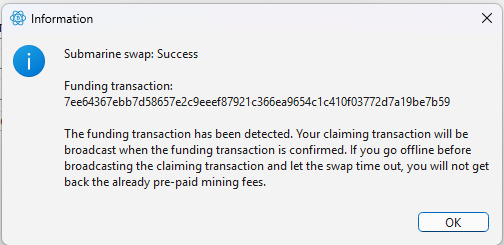
Once the funding transaction is confirmed, you will see the transaction on the receiving wallet.

It took quite a while to figure everything out. Along the way, I ran into several issues that were not documented anywhere. Eventually, I discovered that reverse submarine swaps would only work reliably after enabling Trampoline Routing. Electrum is still not a wallet for the average user, let alone someone with no technical background.
It’s good to see these features being added, but I still hope Electrum becomes more user-friendly in the future. Nearly two years have passed since my last serious attempt to use Lightning in Electrum, and honestly, the experience hasn’t become much easier.
AML Check
Now it’s time for the AML check.
If you have read my previous article about submarine swaps, you may remember that my earlier experiment ended rather badly — the coins I received were flagged as having a 100% connection to stolen funds. Needless to say, that was not the result I was hoping for.
With reverse submarine swaps now integrated directly into Electrum 4.7, I wanted to see whether anything had changed over the last couple of years. So, once again, it was time to spin the AML roulette wheel and check where the incoming transaction came from.
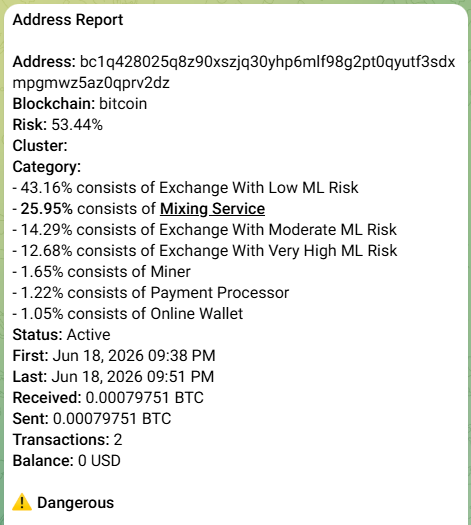
As the report shows, the result was noticeably better this time. The funds were not flagged as stolen, although the overall risk score remained relatively high at 53.44%.
Would I send these coins directly to a regulated exchange? Probably not. A risk score above 50% is still high enough to trigger additional compliance checks on some platforms. However, compared to receiving coins that were allegedly linked to theft, this outcome is certainly an improvement.
More importantly, this experiment once again highlights a fundamental reality of Lightning liquidity providers and submarine swaps: you generally have no idea where the incoming funds will originate from. The AML outcome depends entirely on the routing and liquidity sources used behind the scenes.







No Comments
Leave a comment Cancel